UX Case Study
GrowthOrbit by Aveline
June 2024
Key Responsibilities
Understood user needs and pain points through existing dashboards & team inputs.
Redesigned Media Summary & ROI dashboards for clarity and actionability.
Structured layouts with KPI cards, charts, and drill-down tables.
Refined modular UI components and filters based on internal reviews
Project Scope
Platforms
Desktop
Duration
2.5 months
Tools Used
Figma, Figjam, Excel And PPT
Redesign Objective


The task was to redesign two critical dashboards for GrowthOrbit by Aveline.
User Persona
We began by identifying the two distinct types of users who would rely on this platform daily.
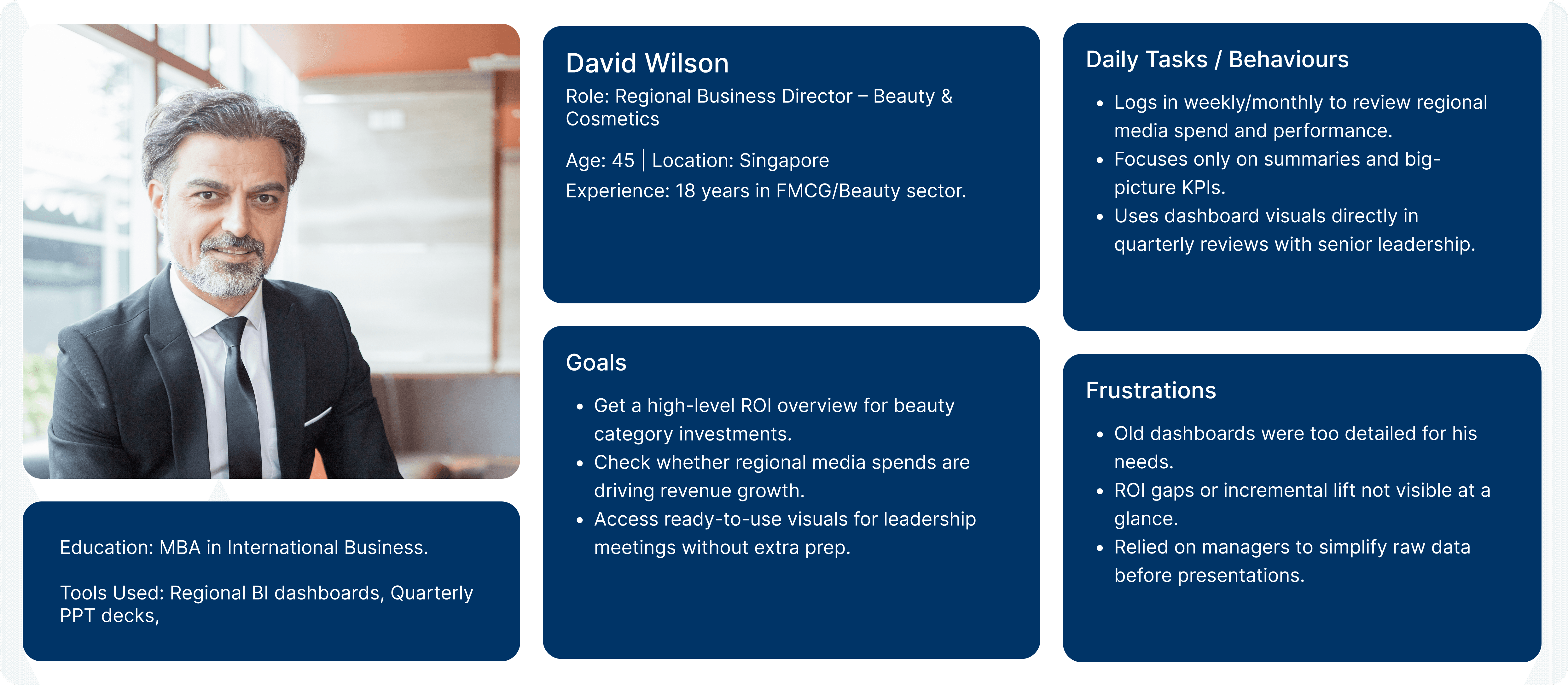
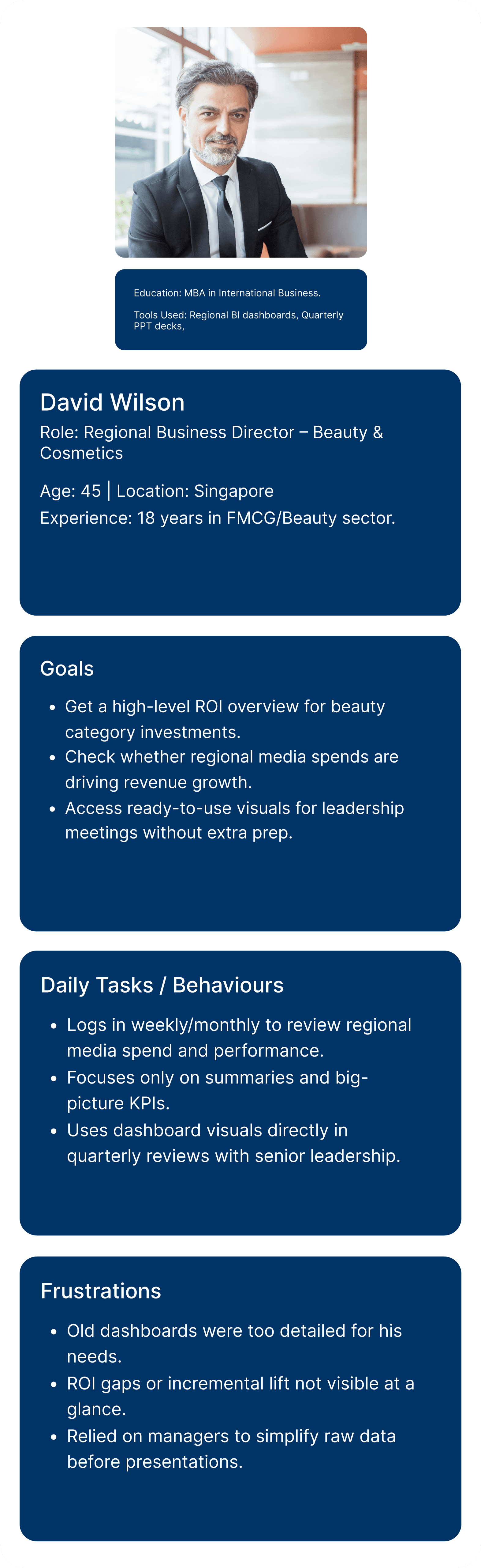
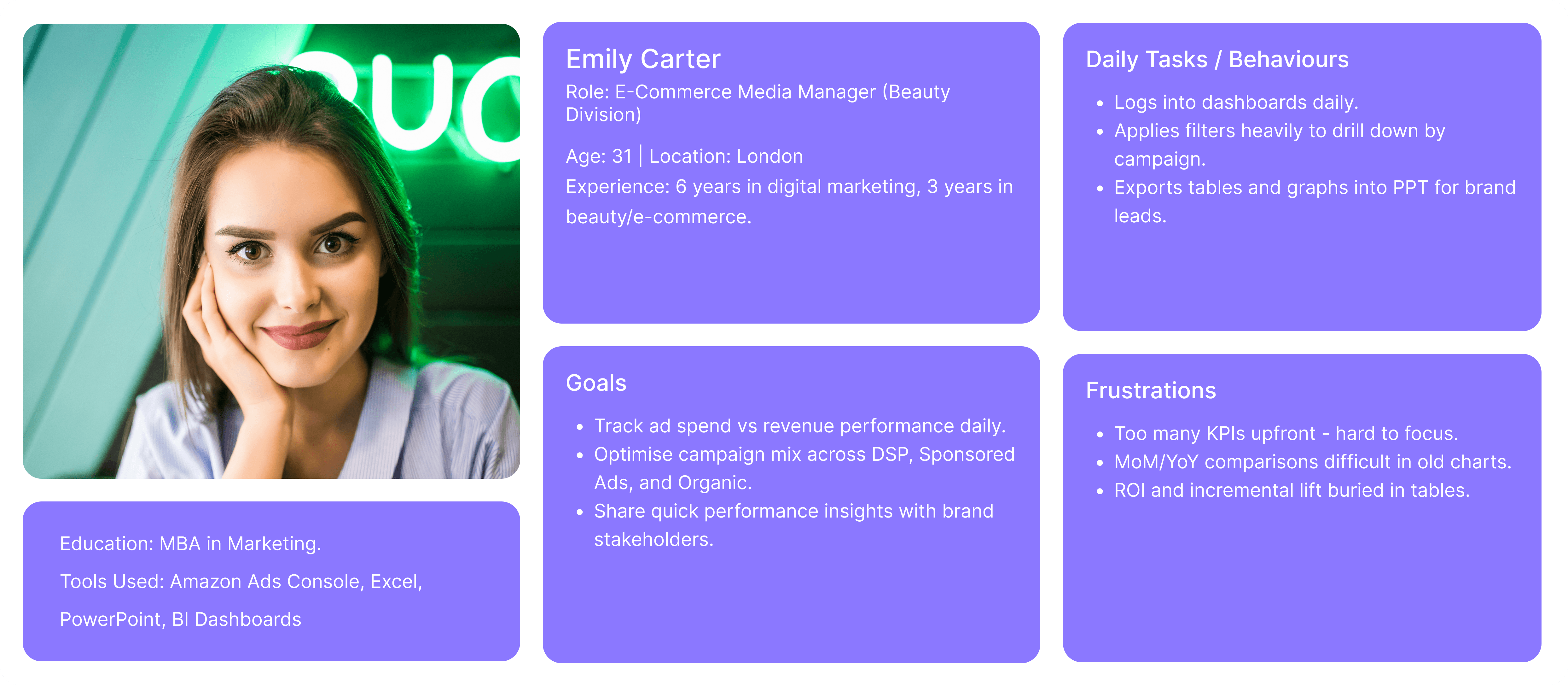
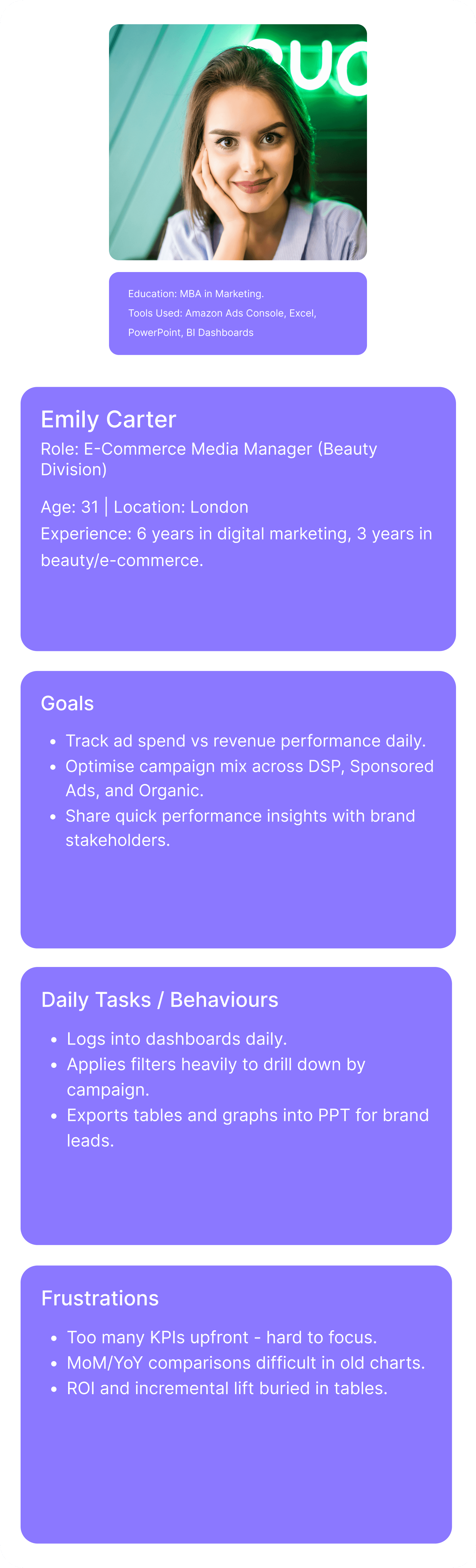
Insight: Managers like Emily need details and filters, while executives like David need summaries and clarity. The redesign had to serve both personas in one system.
No KPI hierarchy
All metrics placed upfront without hierarchy, making it hard to prioritise.
Complex filters
Independent dropdowns confused users and caused inconsistent results.
Cluttered charts
Small, overlapping visuals made MoM/YoY comparisons unclear.
Hidden ROI impact
Incremental lift and key performance data only visible in tables.
Table dominance
Long scrollable tables overshadowed insights and patterns.
Unpolished visuals
Common Issues in Old Dashboards
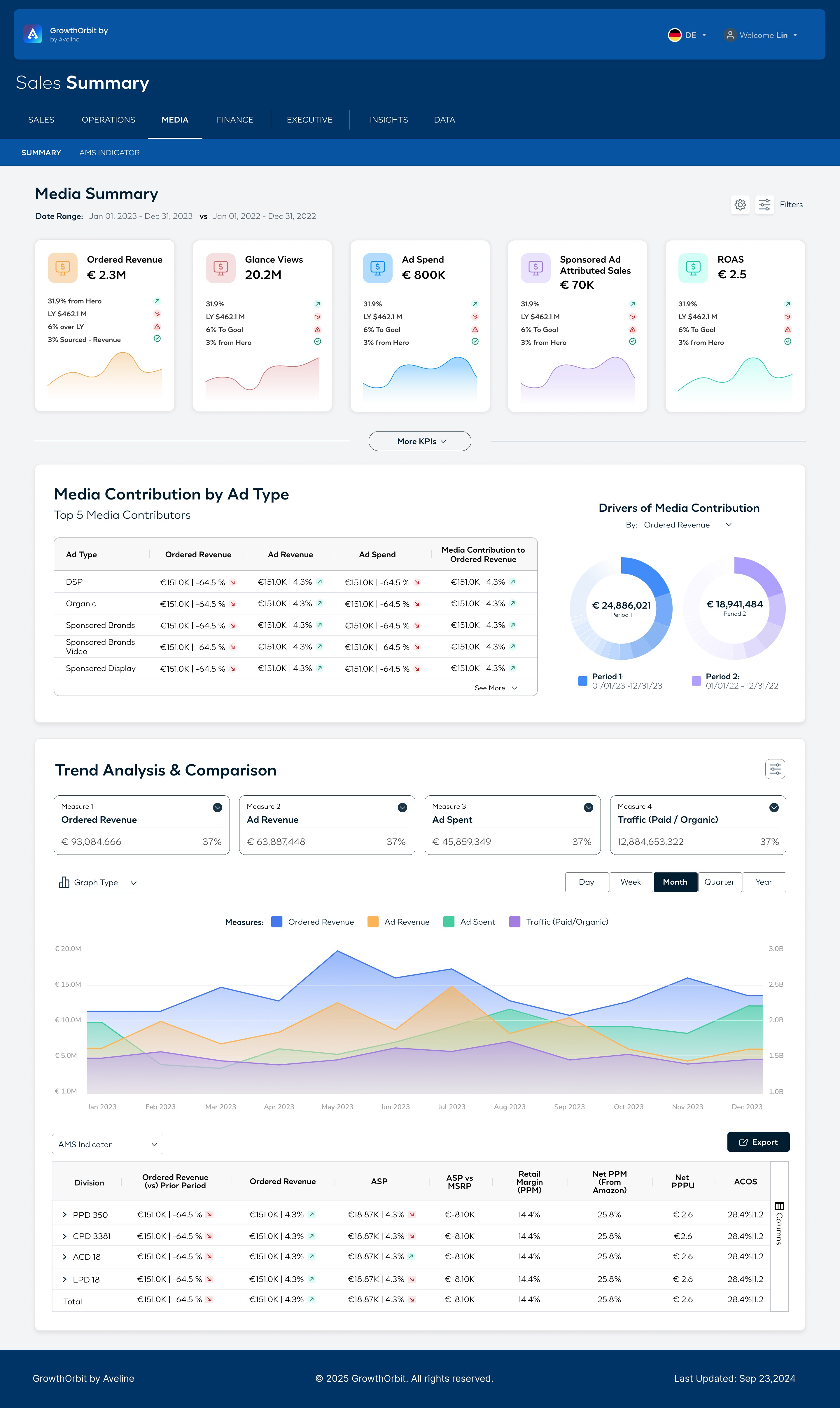
Media Summary Dashboard
Introduced 4 clear KPI cards (Revenue, Views, Spend, ROAS).
Expanded trend charts with daily/weekly/monthly toggles.
Added bar chart to compare channel contributions (DSP, Sponsored Ads, Organic).
Kept a paginated drill-down table with export option for detail.
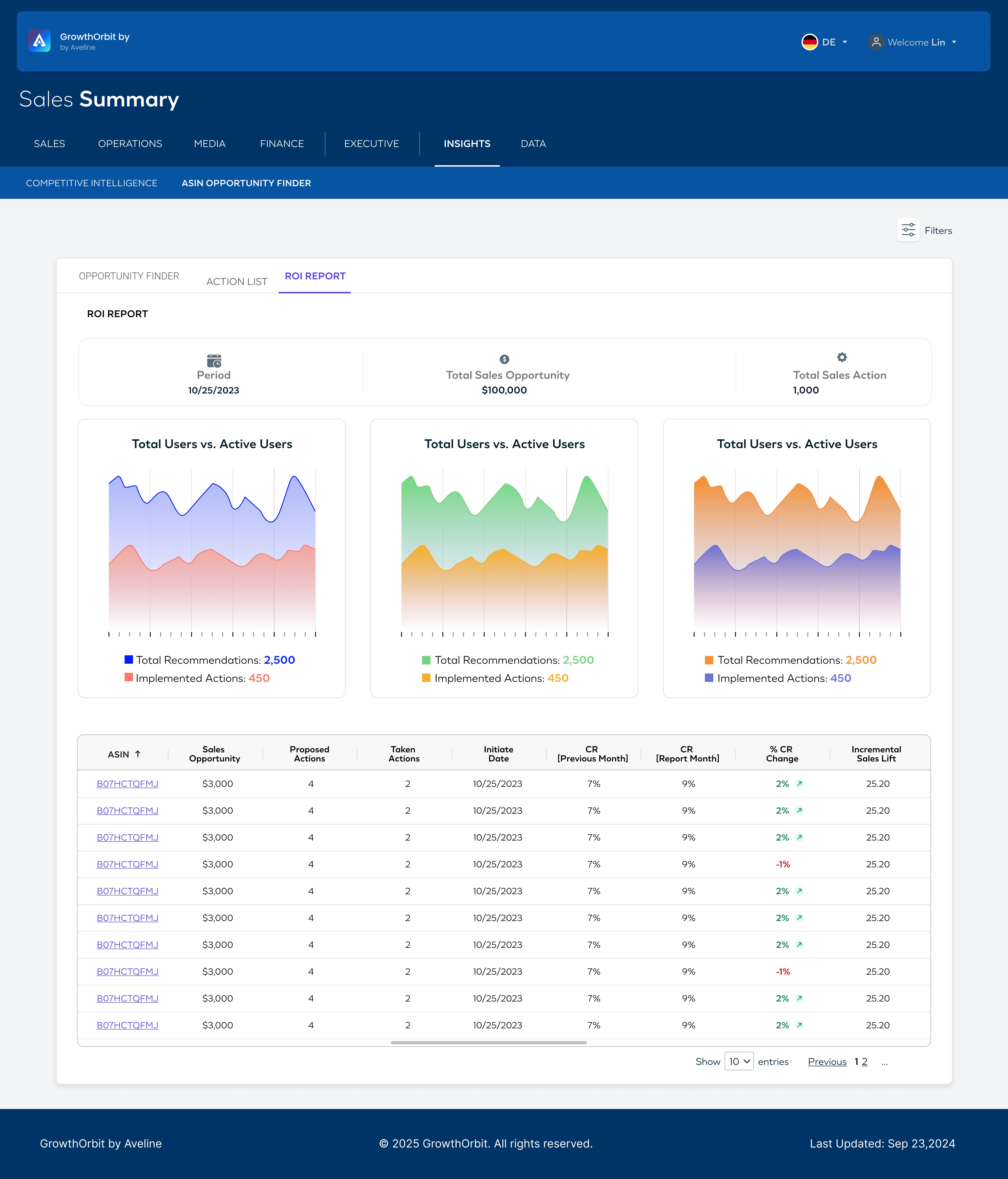
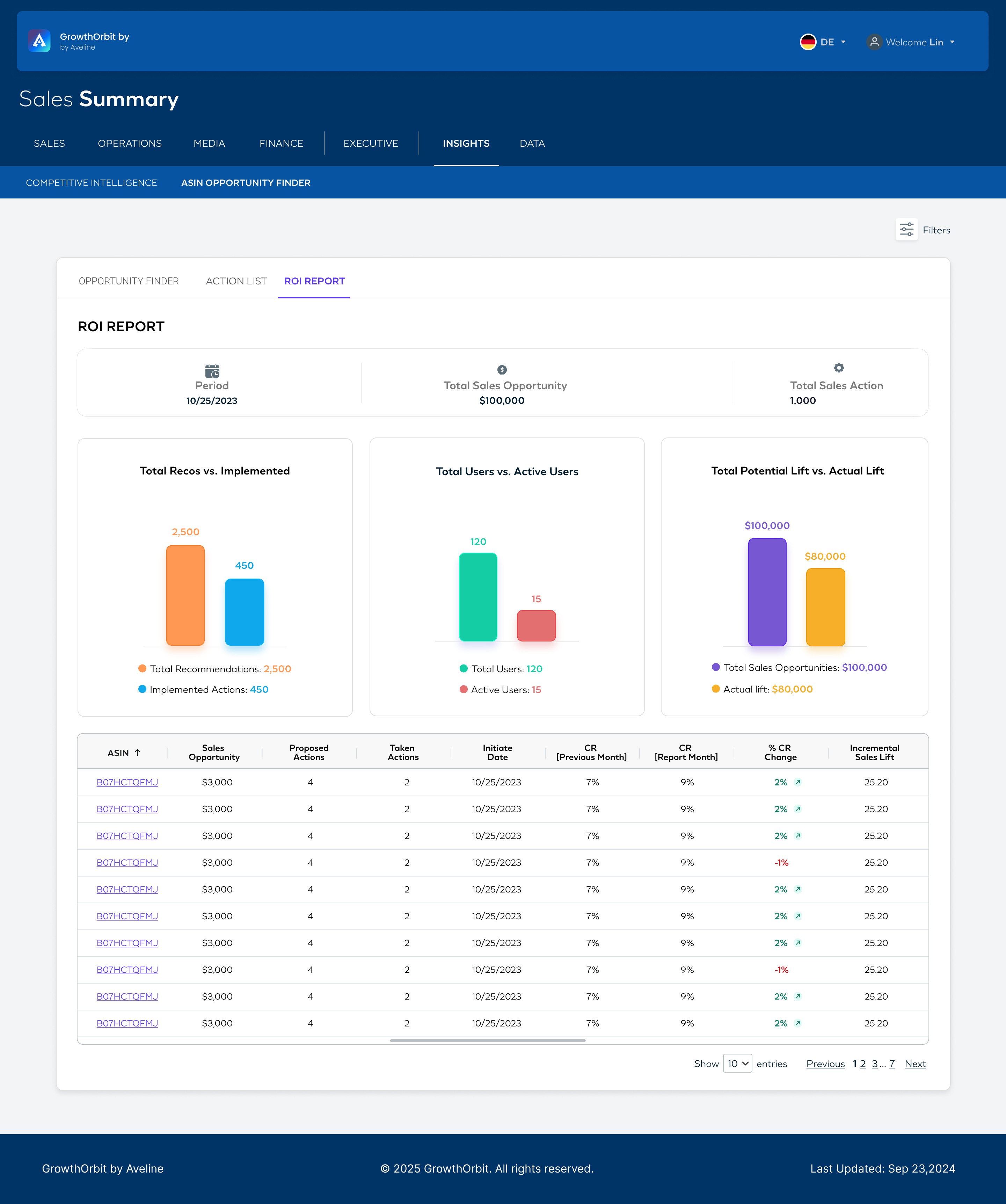
ASIN ROI Dashboard
Added summary KPI cards (Opportunities, Actions, Users).
Used donut charts for actions vs implemented, users vs active, potential vs actual lift.
Highlighted incremental lift visually, no longer buried.
Simplified ASIN-level table → focused on CR% and lift.
Iteration Process (Media Summary)
Phase 1 : Restructured layout → KPI → Charts → Table.
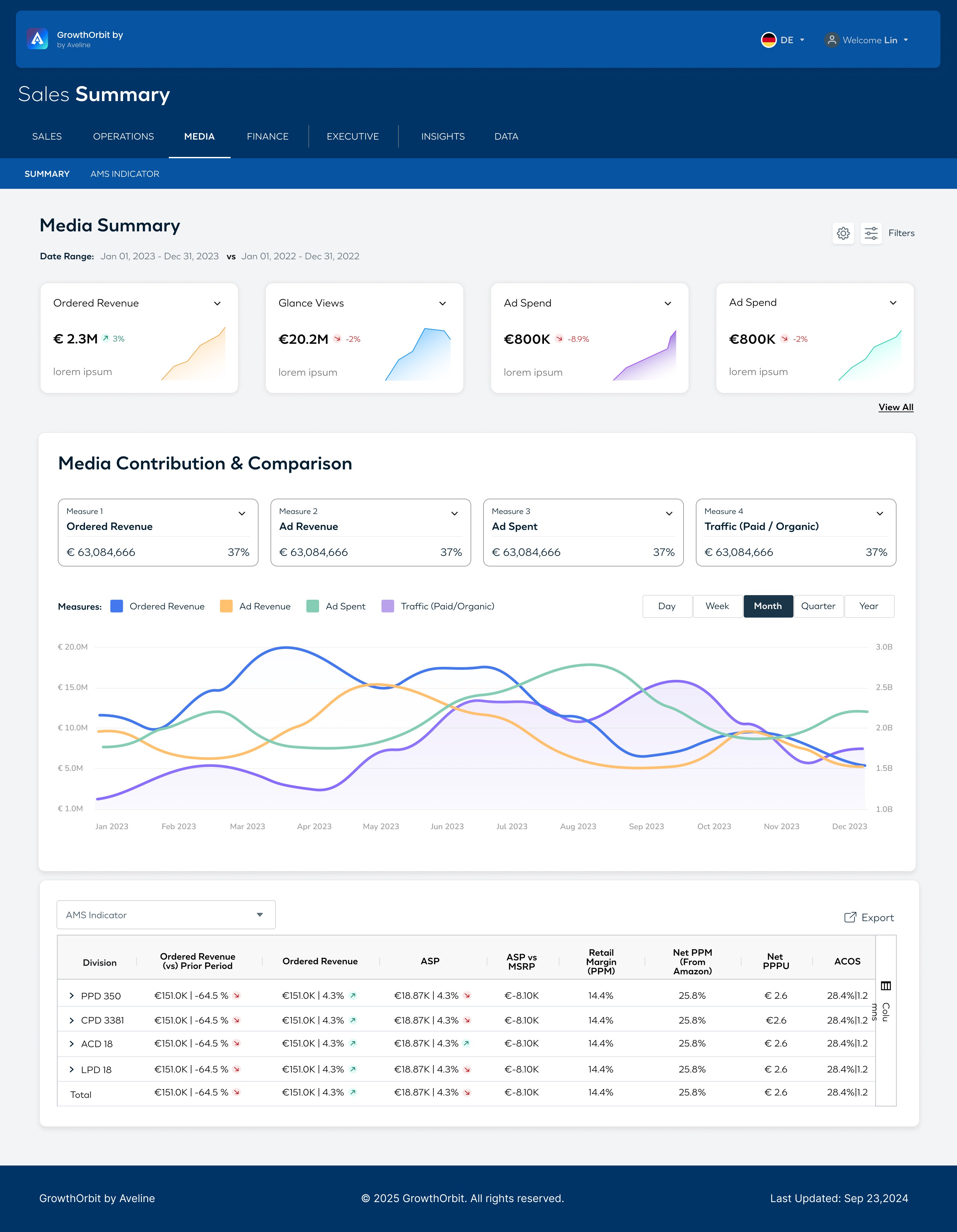
Phase 2: Introduced modular card-based design, consistent visual language.
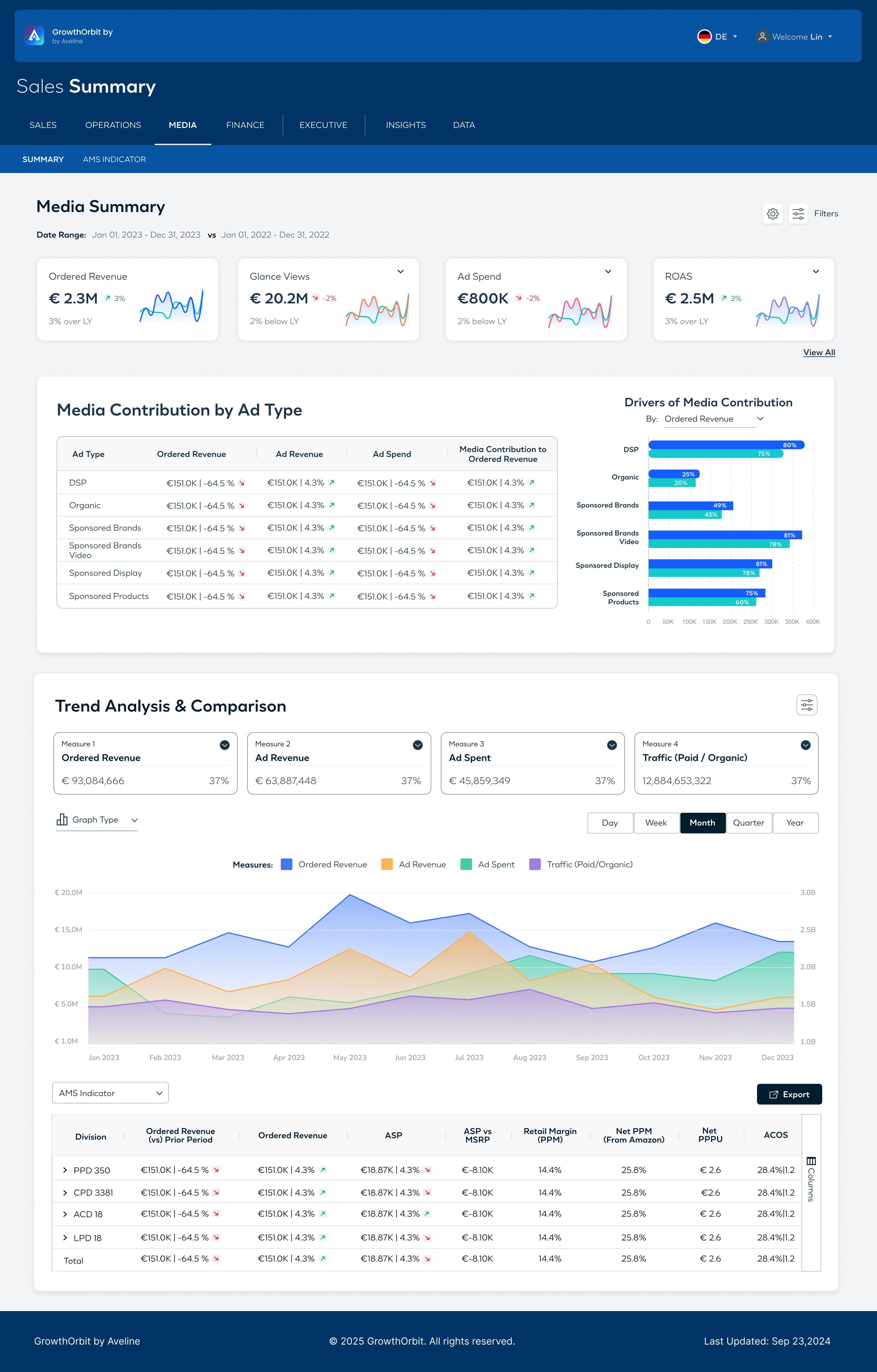
Phase 3: Refined filters, added pagination, ensured export-ready outputs.
Iteration Process (ROI)
Phase 1 : Used area graphs to show trends with KPIs and tables below.
Phase 2: Clearer bar visuals with modular layout and consistent design.
Review & Feedback
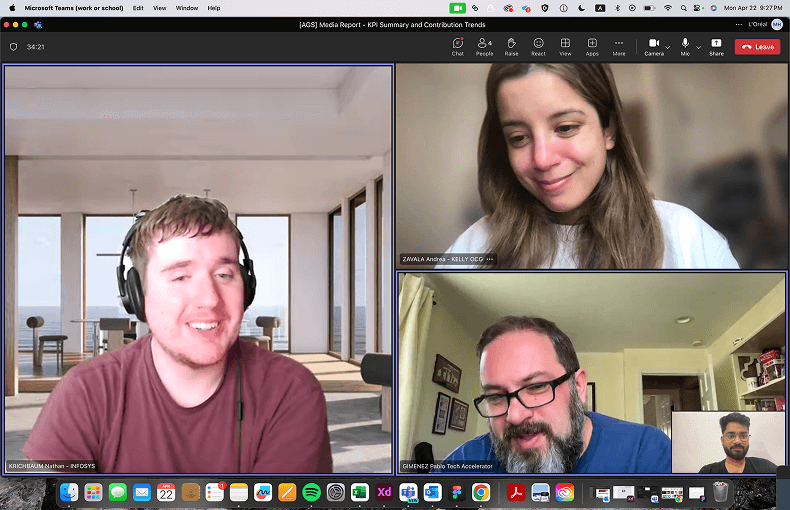
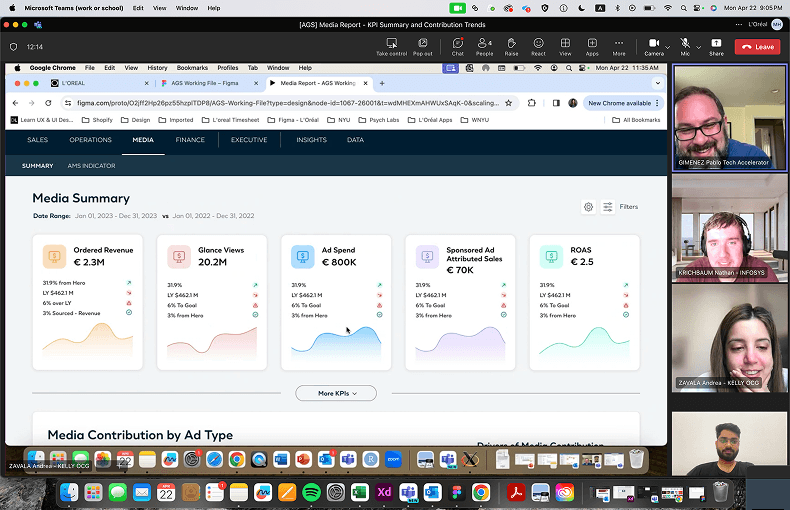
During design reviews, I walked the internal team through the redesigned Media Summary dashboard in Figma. The feedback highlighted:
KPIs were now clearer and aligned with business goals.
Contribution charts needed better labelling.
Export option was a must-have for daily users.
Explore the Interface
Every screen crafted to deliver a seamless user experience.
Business Outcomes
What This Project Taught Me
This project gave me a deeper understanding of how global beauty brands like Aveline leverage data to make informed business decisions. It wasn’t just about UI — it was about turning complexity into clarity, designing for scalability, and empowering analytics teams to interpret and act on insights effortlessly.
Media Spend Efficiency
Understood that high ad spends don’t always guarantee growth — efficiency and ROI matter more than volume.
Revenue Growth Patterns
Learned how different channels (DSP, Sponsored Ads, Organic) contribute uniquely to overall revenue.
ROI & Incremental Lift
Discovered the importance of showing actions vs results — linking incremental lift directly to ROI impact.
Business–Design Connection
Realised how UX decisions in dashboards tie directly to business metrics and decision-making.