UX Case Study
DanoGPT
June 2024
Key Responsibilities
Led user interviews and UX research activities.
Created flow models, personas, and competitive analysis.
Designed end-to-end UI for key GenAI features.
Collaborated with managers, stakeholders, developers, and GenAI experts.
Project Scope
Platforms
Desktop
Duration
4.5 Months
Tools Used
Figma, Figjam, Excel And PPT

Why GenAI in Banking (for Employees)



Identifying the Gaps - The Challenge
Dano Bank’s frontline employees faced delays and stress due to scattered systems, unclear policies, and high customer expectations. They needed a unified GenAI tool to access answers faster, reduce tool-hopping, and improve real-time service delivery.
Understanding the users
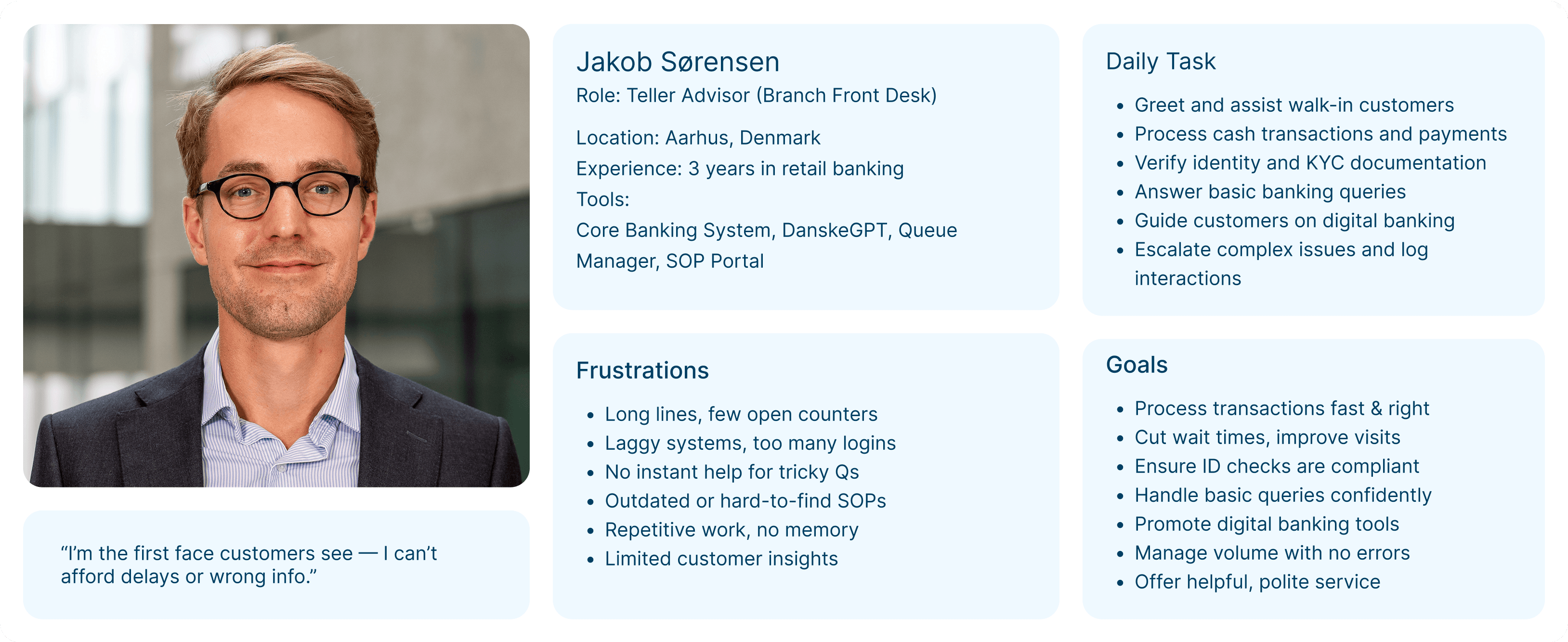
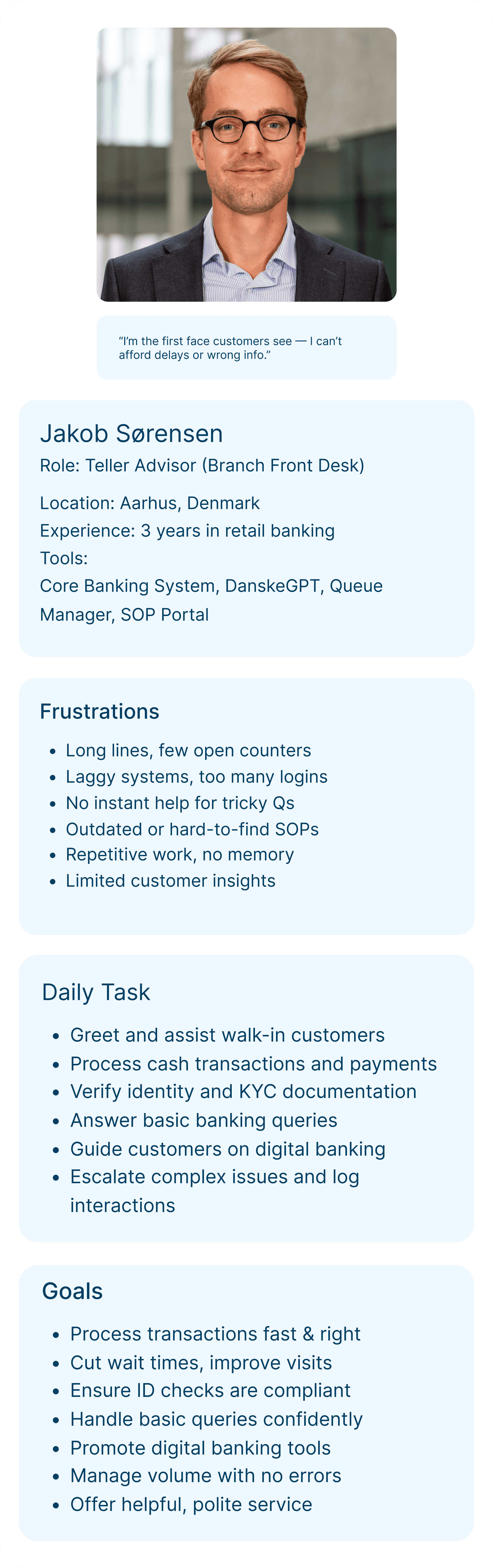
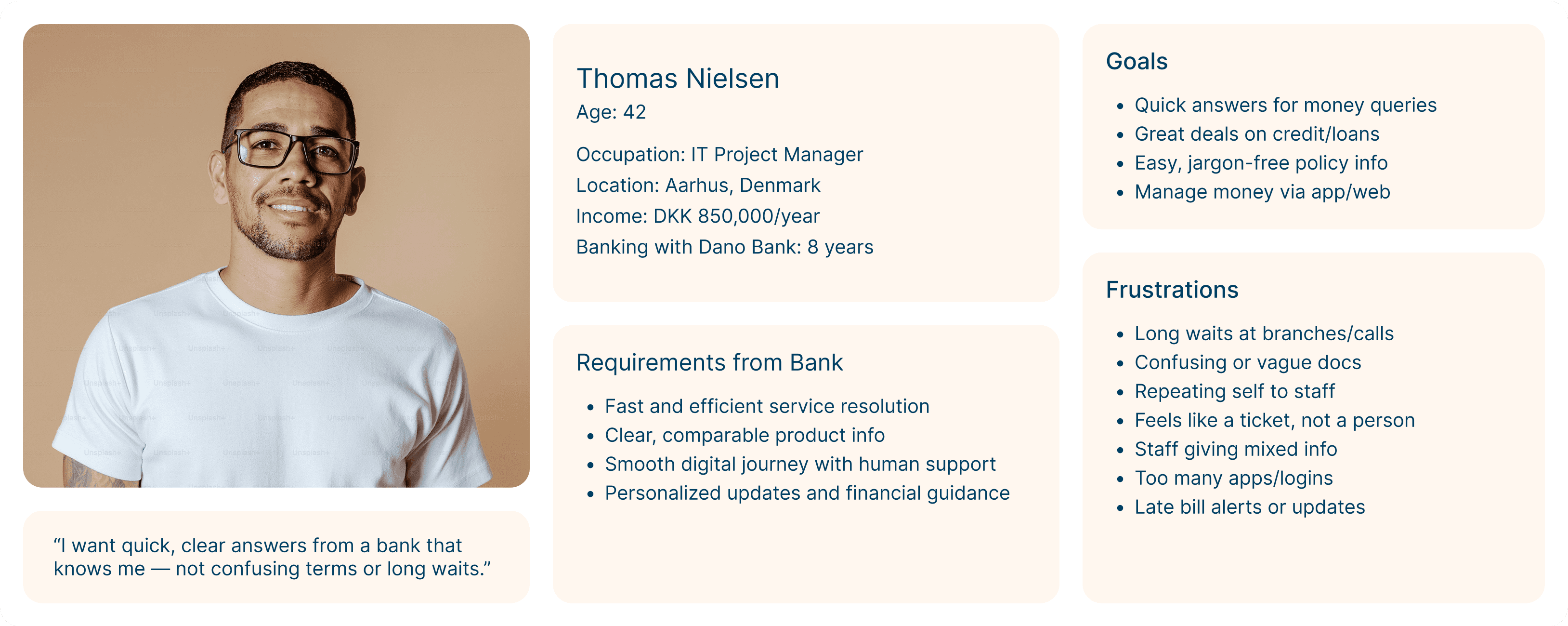
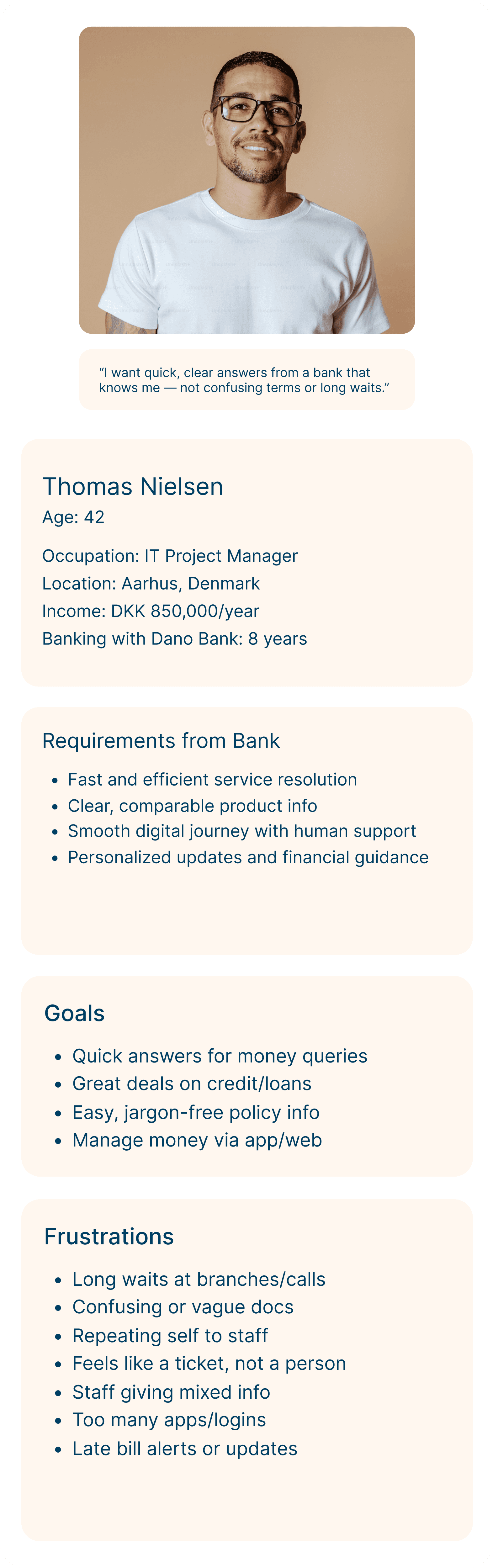
Through interviews, shadowing, and user observations, we identified three core personas: the Relationship Manager (RM), the Teller Advisor, and the Banking Customer — each with unique goals, tasks, and challenges across the service journey.
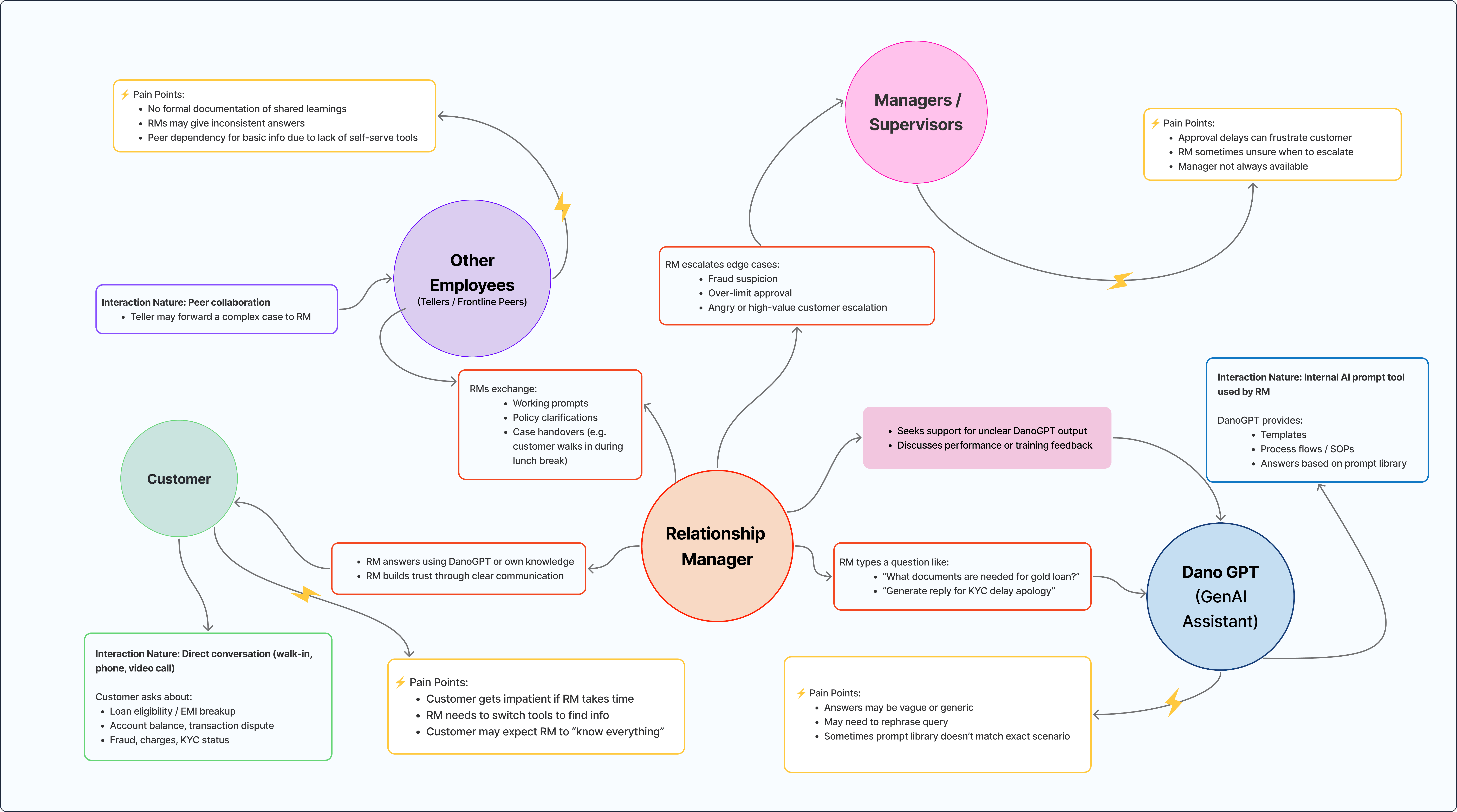
Flow Model
The flow model clarified frontline employees’ Job to be done tasks and highlighted key pain points like tool inefficiency, system switching, and support delays.
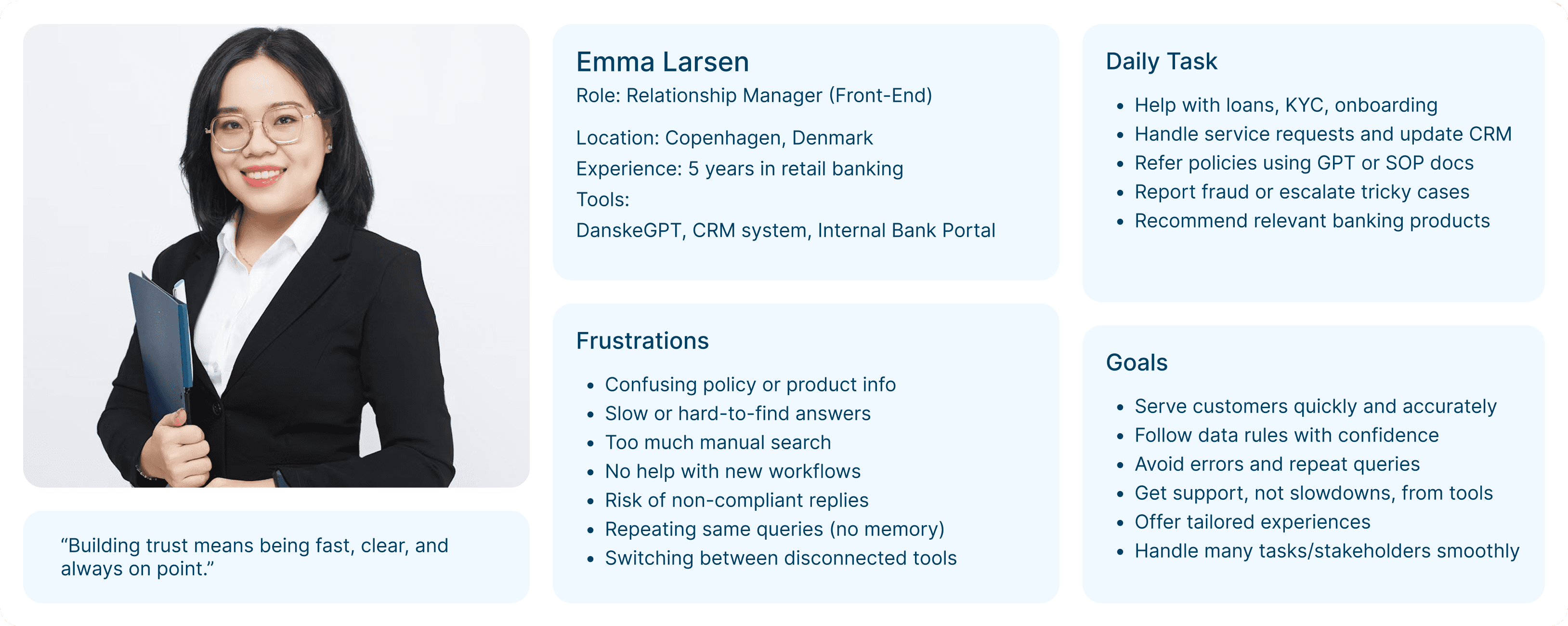
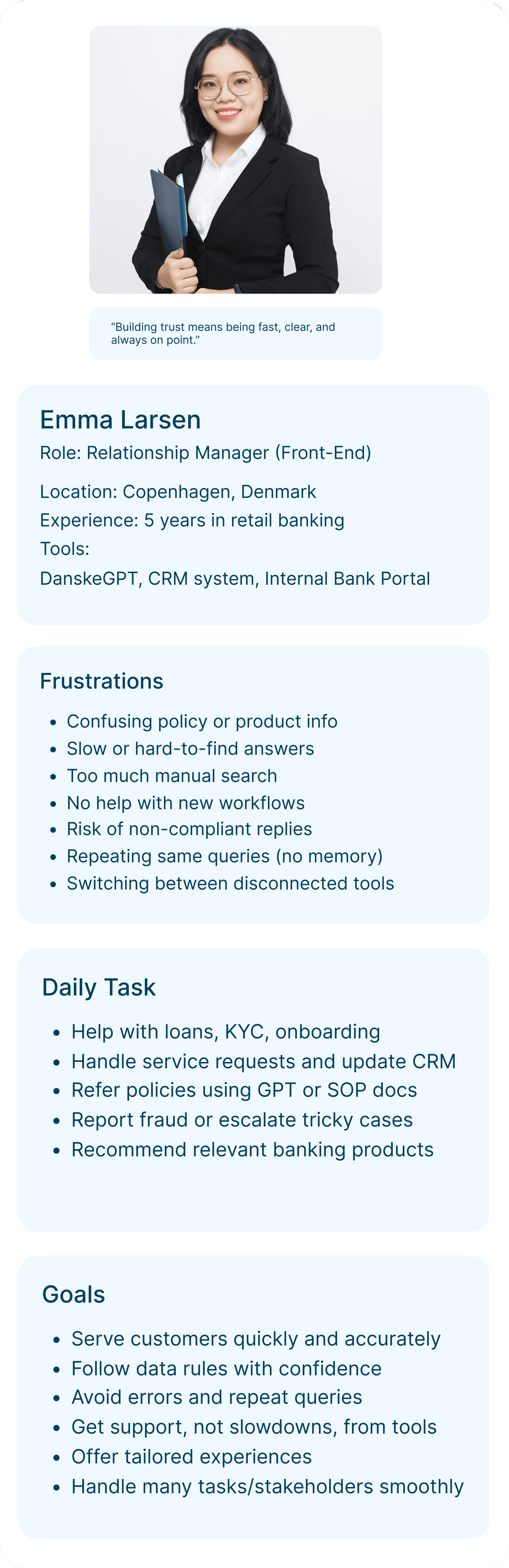
User Persona
User personas revealed key roles, goals, & pain points, guiding a user-focused experience.
User Journey map
The journey map outlined key touchpoints and struggles frontline employees face, helping us improve support at every step.
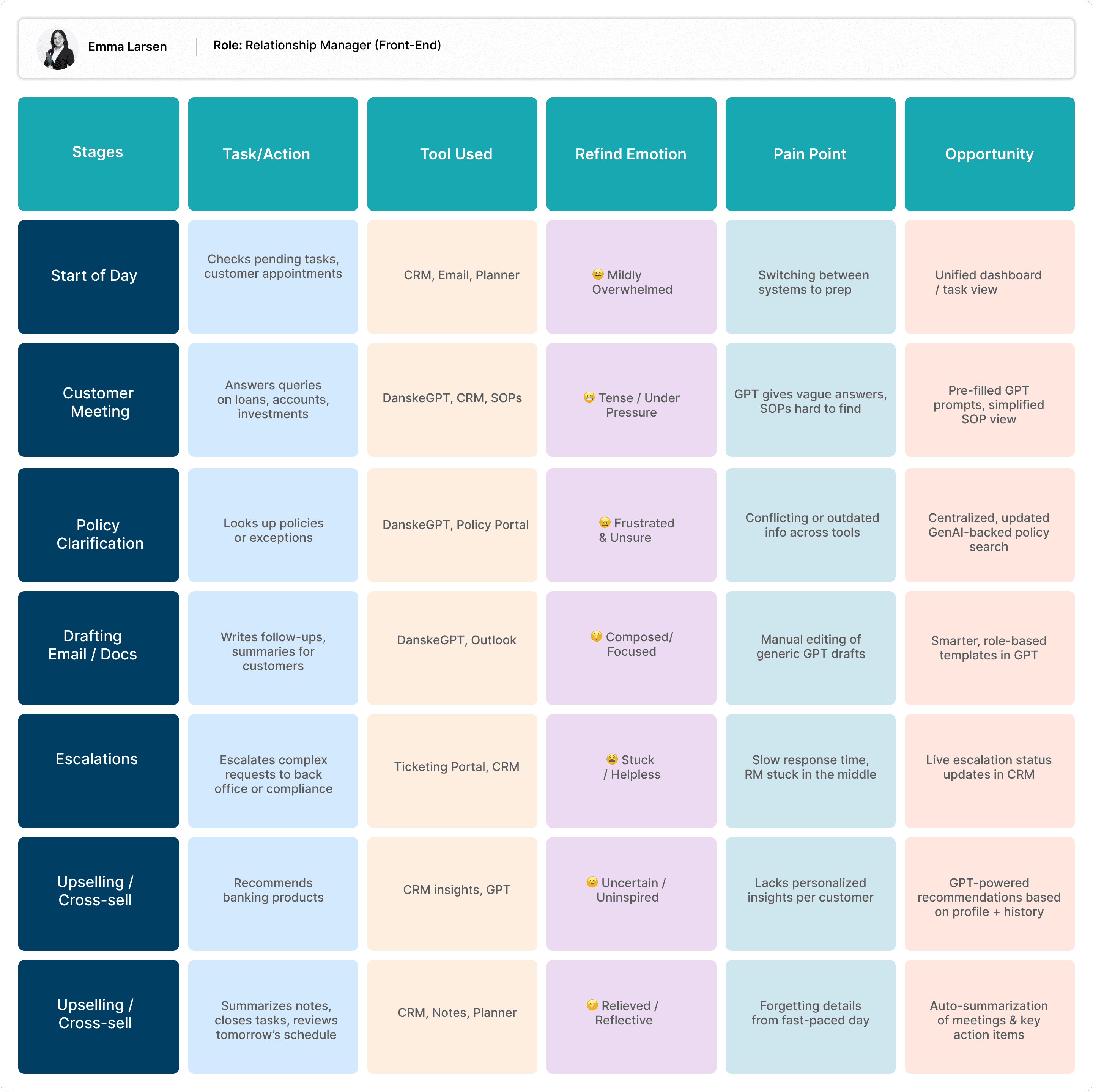
Key Pain Points of Users
Lack of Context
GenAI replies feel generic; policies are hard to find.
High Pressure
Frequent escalations and low autonomy add stress.
Manual Workload
Repetitive tasks and poor automation hurt efficiency.
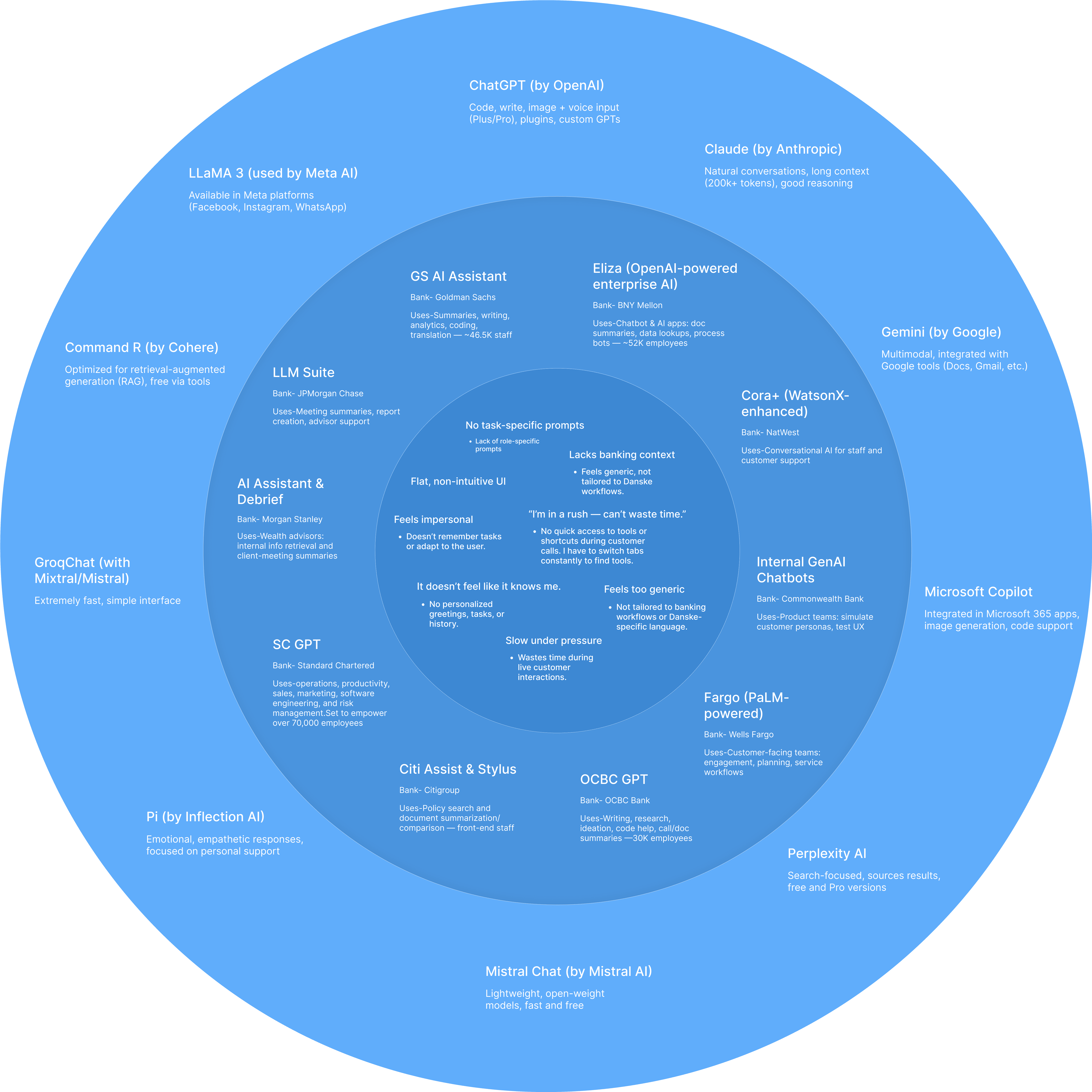
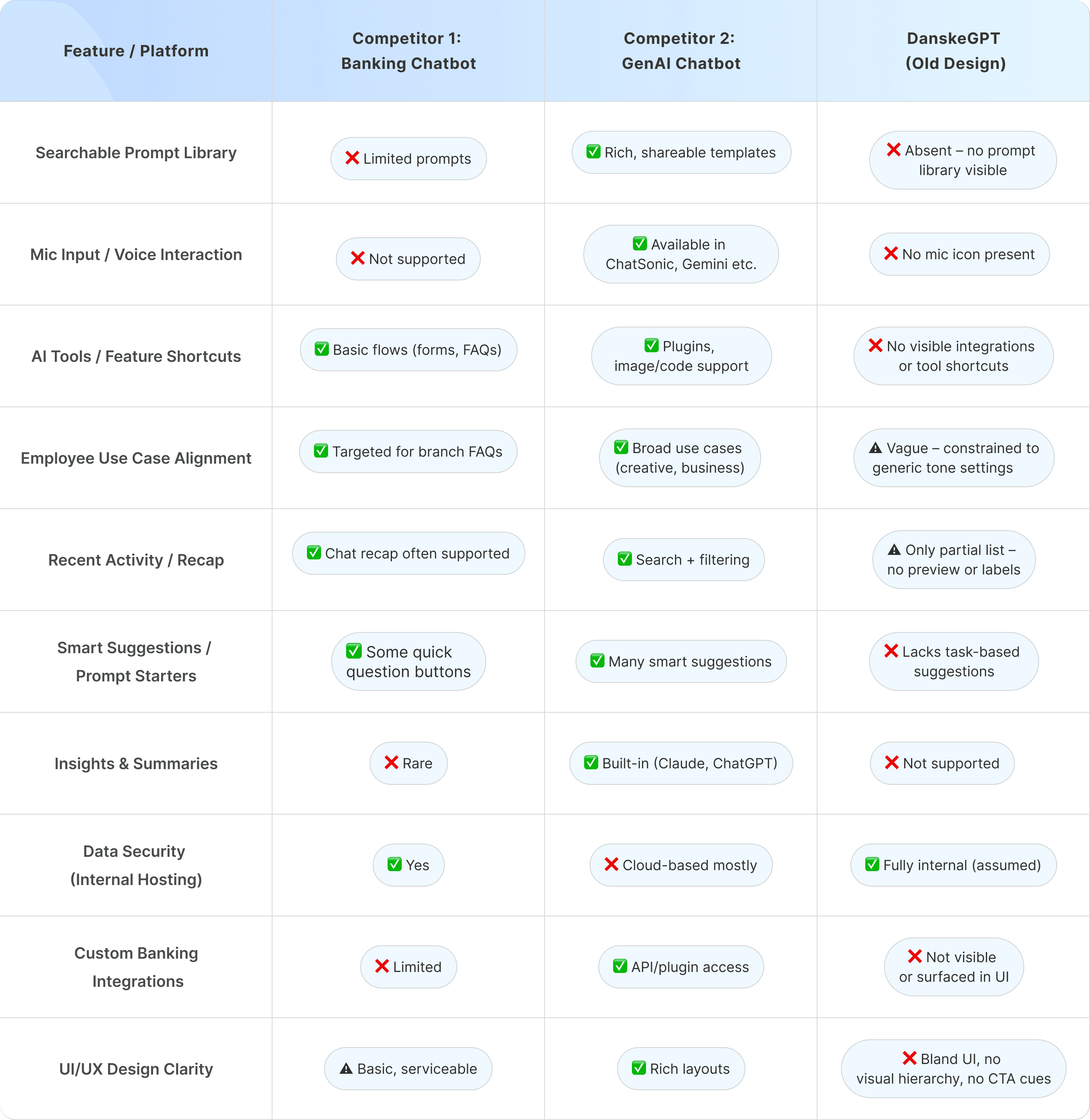
Competitive Benchmarking
We studied GenAI tools used by leading banks to identify gaps in speed, usability, and frontline relevance — insights that shaped DanoGPT’s core features.
Contextual Intelligence
Accurate policy recall, internal SOP access, and memory of past interactions.
Workflow Integration
AI tools panel tailored to banking tasks, escalation handling, and workflow handoff.
Personalization & Speed
Role-based customization with fast, reliable, and relevant GenAI responses.
Prompt Library by Role
Quick access to ready-made queries for RMs, Tellers, and other roles.
Integrated AI Tool Panel
Perform tasks like KYC, card blocking, and meeting summaries all within the chat window.
Context-Aware Chat
GenAI remembers past questions to keep conversations fluid and relevant.
SOP & Policy Search
Get instant access to the latest internal policies, SOPs, and compliance guides.
Smart Dashboard
Switch roles, track saved chats, and resume threads without losing context.
Multi-Tasking Support
Toggle between threads or tools without losing conversation flow.
Personalized Prompts
Create custom prompts for reuse and enjoy a clean
Friendly UI
Conversational, human-like responses with clean interface.
Understanding How GenAI & LLMs Integrate into Banking Infrastructure
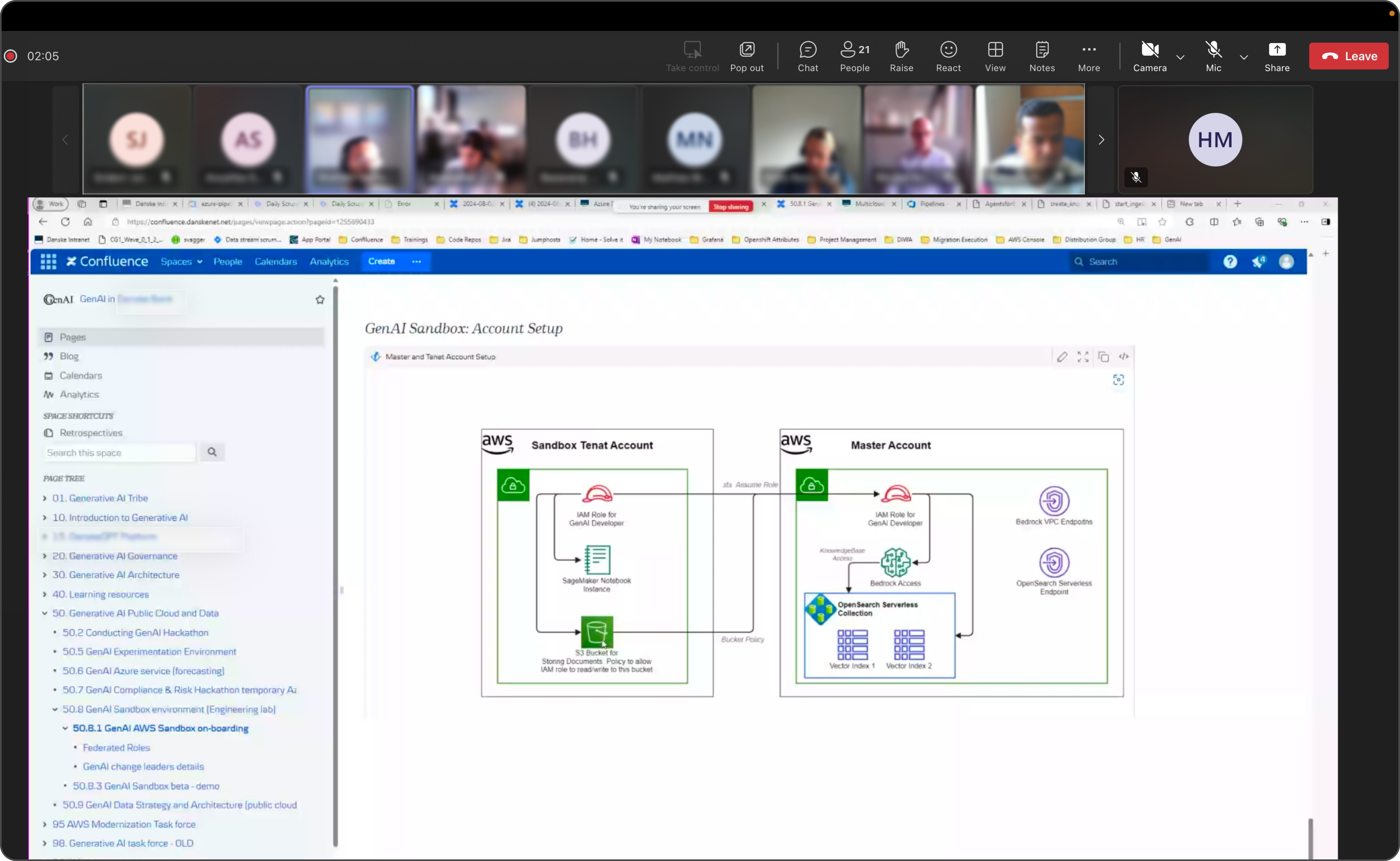
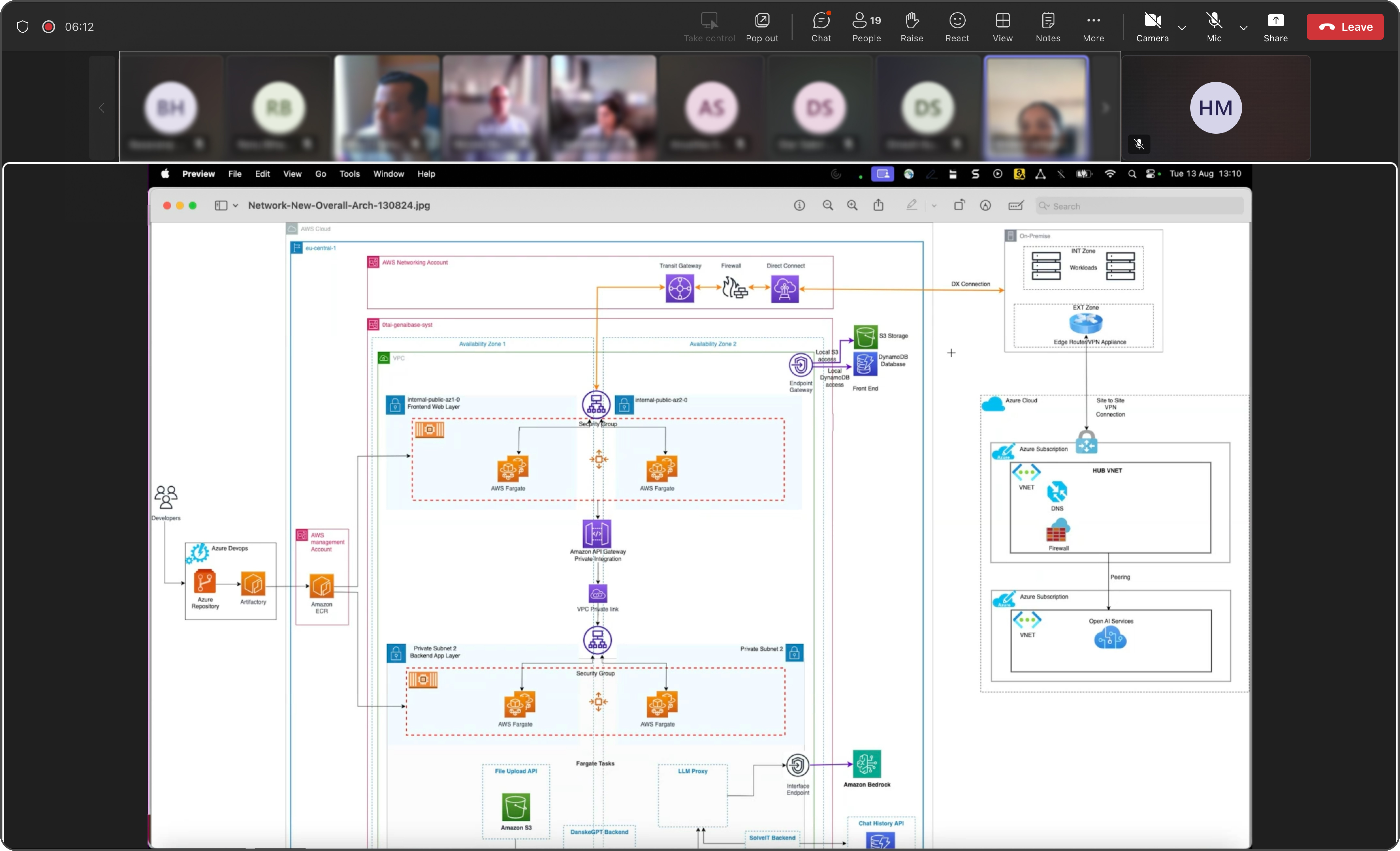
Gained hands-on exposure to how large language models are securely deployed within banking ecosystems — from sandbox setups to real-time architecture flows.
Before Redesign
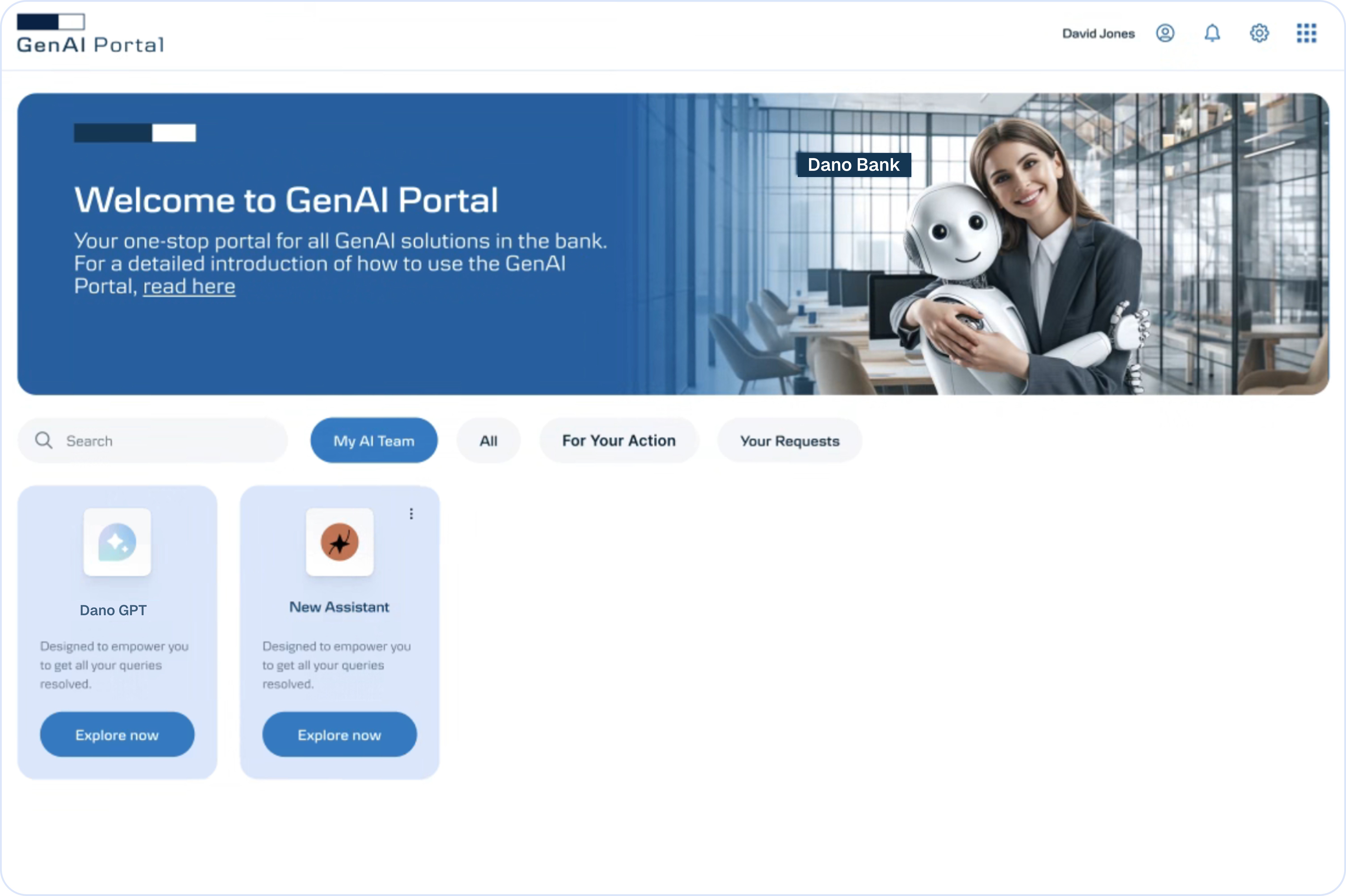
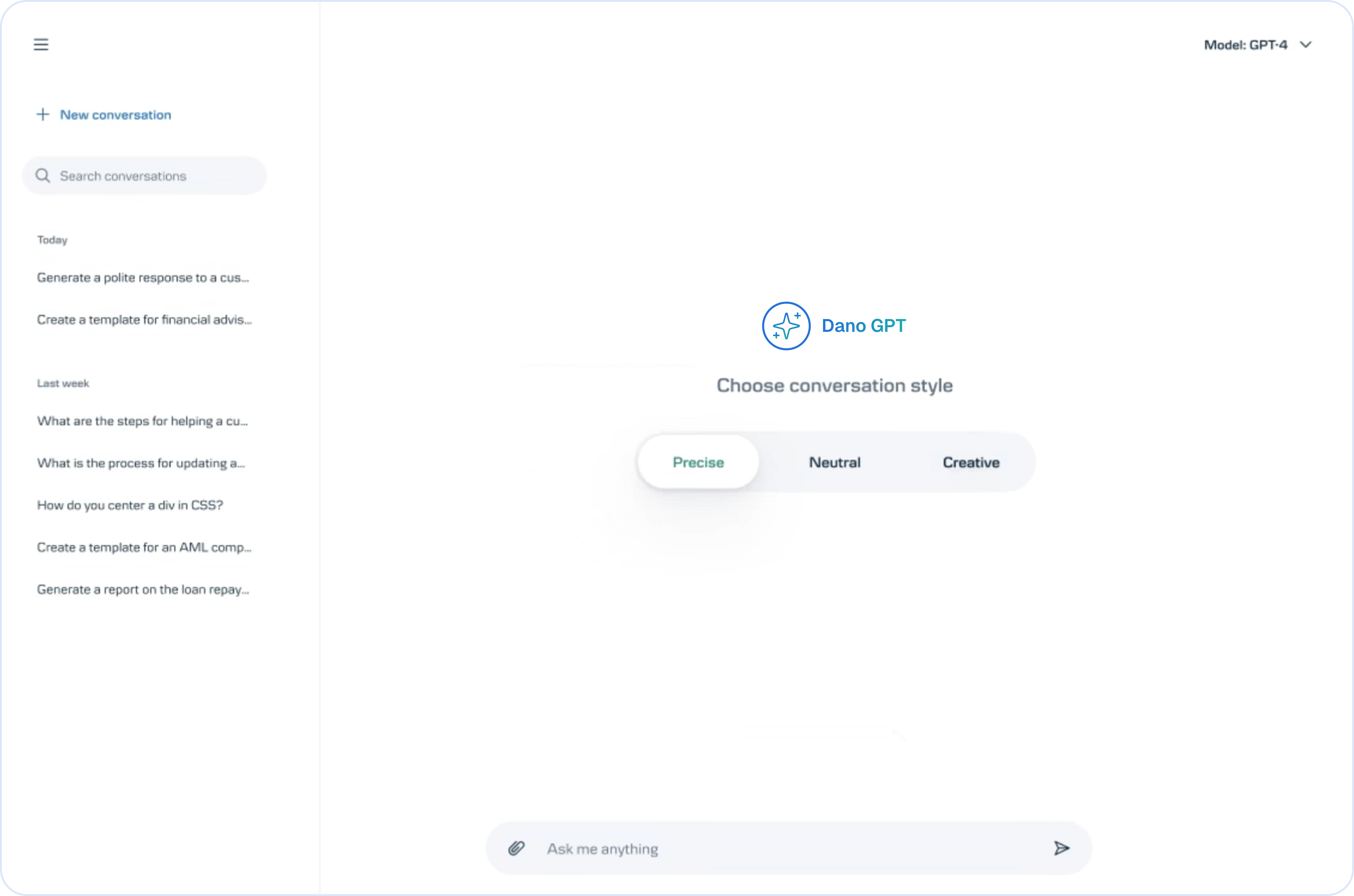
The original GenAI portal offered basic access, but lacked clarity, role-specific flow, and a sense of guidance for everyday users
Explore the Interface
Every screen crafted to deliver a seamless user experience.
Business Impact
What This Project Taught Me
Working on an internal GenAI tool for one of Denmark’s leading banks wasn’t just another UX challenge — it meant navigating high-stakes systems, strict regulations, and real frontline pressures. From zero to rollout, every step taught me something new — about AI, people, and building trust through design.
Secure AI Foundations
Understood how LLMs like GPT-4 integrate into secure banking systems
Designing for Dialogue
Learned to design for chat-based, prompt-driven workflows
Responsible Automation
Balanced AI automation with user trust Balanced AI automation with user trust and complianceand compliance
Cross-Team Collaboration
Collaborated with cross-functional teams (GenAI, tech, business)